
Pregnancy test line progression app
Keep a dated photo history instead of searching your camera roll. LineCheck lets you compare two saved pregnancy tests side by side and follow line-strength charts on iPhone, iPad and Android.


Free download · optional Pro for fuller charts and AI summaries
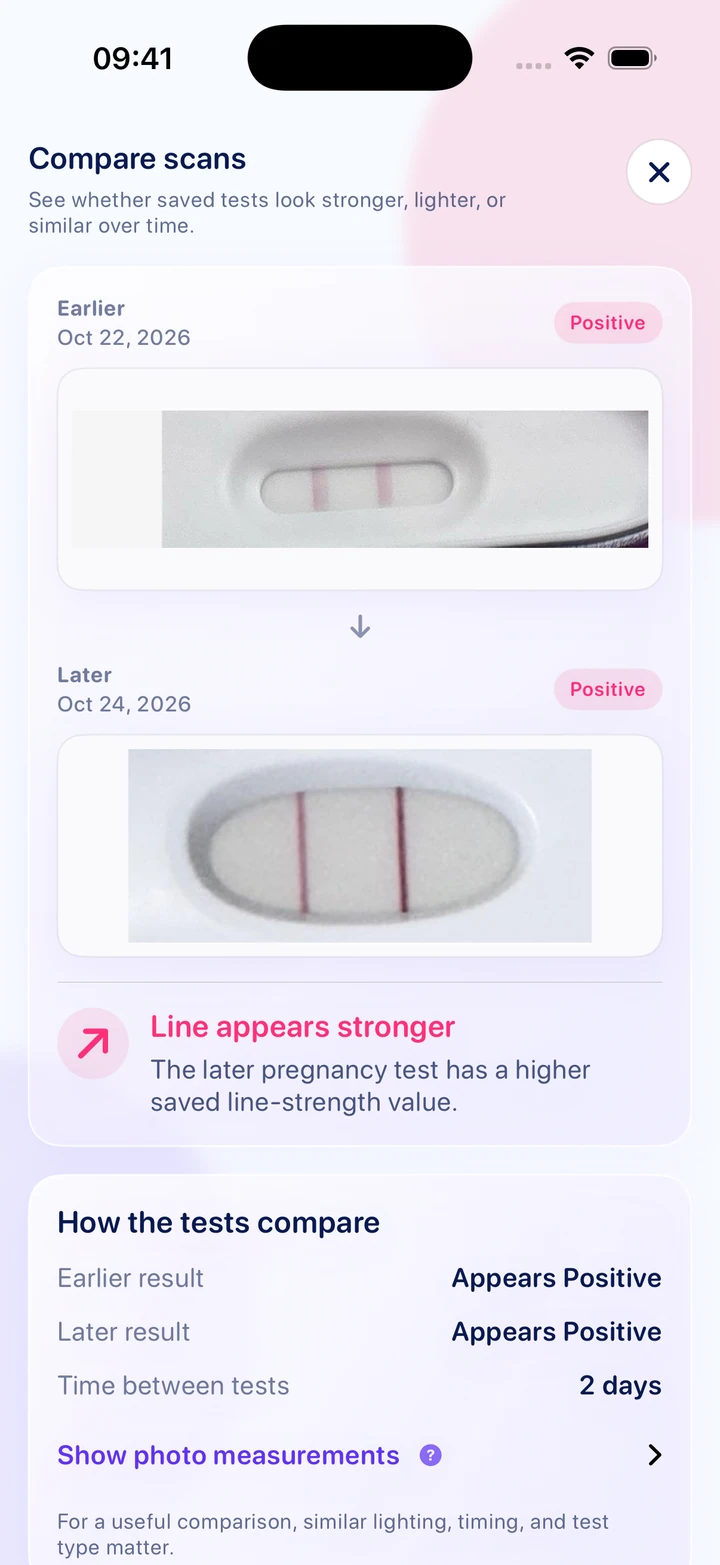
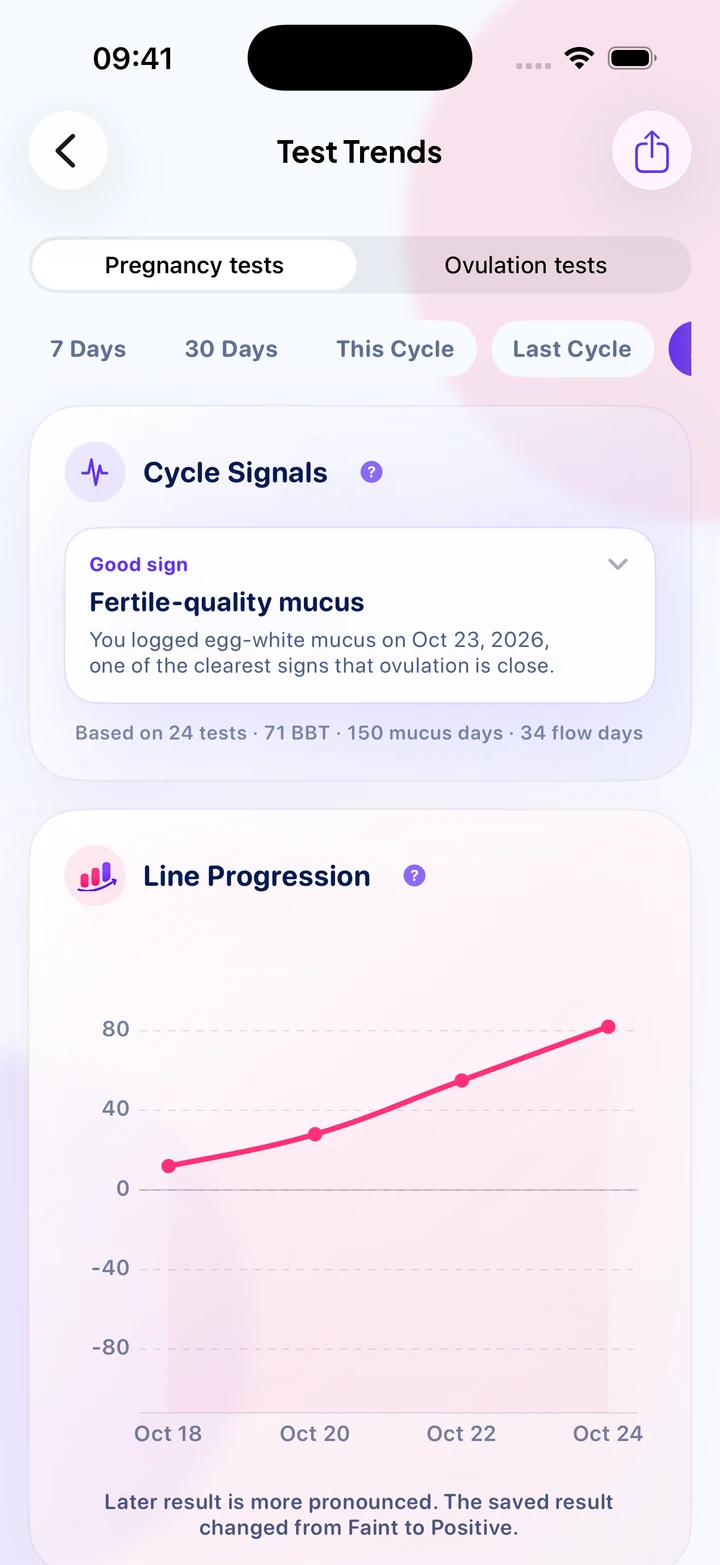
Drag through the days
Save and compare pregnancy test photos over several days. Lighting, urine concentration and the test itself affect line darkness; a photo trend cannot tell you whether a pregnancy is healthy.
Illustration. Real tests are rarely this tidy.
How to compare tests fairly
Keep conditions the same between tests so the comparison is meaningful.
Keep the same
- Brand of test
- Time of day
- Reading time
- Lighting
Avoid
- Mixing brands
- Drinking a lot first
- Reading late lines
- Photo vs. test in hand
Progression tools
Full history
Every scan with its photo, date and result.
Side by side
Stronger, lighter or about the same.
Progression chart
Line strength over days.
Share an image
Send to a partner or take to an appointment.
AI summary (Pro)
A plain-language read of three or more tests.
By test type
Pregnancy and ovulation kept apart.
Line darkness isn’t an hCG measurement. If lines keep getting lighter, or you have pain or bleeding, contact a doctor, midwife or early pregnancy service.
Questions
Which LineCheck features help me compare pregnancy test photos?
Use dated test history, side-by-side comparisons, line-strength charts and a shareable comparison image. Pregnancy and ovulation histories stay separate. Pro adds fuller trend charts and AI progression summaries. Charts describe photos; they do not measure hCG or assess pregnancy health.
Are progression summaries processed on my phone too?
The pregnancy and LH image scans run on your device. Optional written AI comparisons and progression summaries can send relevant text, results and notes through online services; test photos are not included. Saved records may also use your own iCloud sync or device backup.
Should a pregnancy test line get darker every day?
Not necessarily day to day. hCG usually rises quickly in early pregnancy, but urine concentration, time of day and the test itself all affect how dark a line looks. A trend over several days, using the same brand at a similar time, is more meaningful than any single comparison.
My line got lighter. Does that mean something is wrong?
Not always — a more diluted sample or a different brand can make a line look lighter. But if lines keep getting lighter, or you have pain or bleeding, contact a doctor, midwife or early pregnancy service. They can check hCG with blood tests, which measure the actual level.
How many days apart should I compare tests?
Many people compare tests taken about 48 hours apart, as changes over a single day can be small and easily outweighed by differences in urine concentration.
Can LineCheck tell me my hCG level?
No. Home tests are qualitative — they show whether hCG is detected, not how much. LineCheck's line-strength values describe your photos so you can compare them; they aren't hCG measurements.

Compare your next test with LineCheck
Available on iPhone, iPhone Duo, iPad and Android.